
- “This lab takes you into the world of voice communications on the internet. VoIP is becoming the de-facto standard for voice communication. As this technology becomes more common, malicious parties have more opportunities and stronger motives to control these systems to conduct nefarious activities. This challenge was designed to examine and explore some of the attributes of the SIP and RTP protocols. "
Lab Files:
- ““log.txt” was generated from an unadvertised, passive honeypot located on the internet such that any traffic destined to it must be nefarious. Unknown parties scanned the honeypot with a range of tools, and this activity is represented in the log file.”
- “The IP address of the honeypot has been changed to “honey.pot.IP.removed”. In terms of geolocation, pick your favorite city.”
- “The MD5 hash in the authorization digest is replaced with “MD5_hash_removedXXXXXXXXXXXXXXXX””
- “Some octets of external IP addresses have been replaced with an “X””
- Several trailing digits of phone numbers have been replaced with an “X” Assume the timestamps in the log files are UTC.
- “Voip-trace.pcap” was created by honeynet members for this forensic challenge to allow participants to employ network analysis skills in the VOIP context.
As a SOC analyst, analyze the artifacts and answer the questions.
Question 1
What is the transport protocol being used?
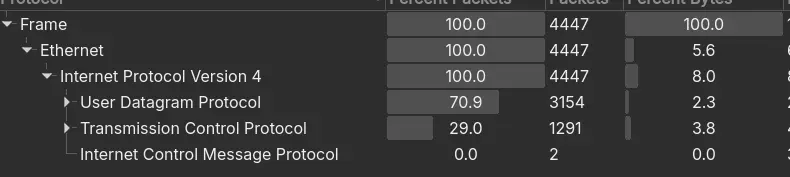
- There are two main transport protocol used with UDP being 70.9% of the traffic. A quick inspection of the UDP traffic shows many SIP requests.
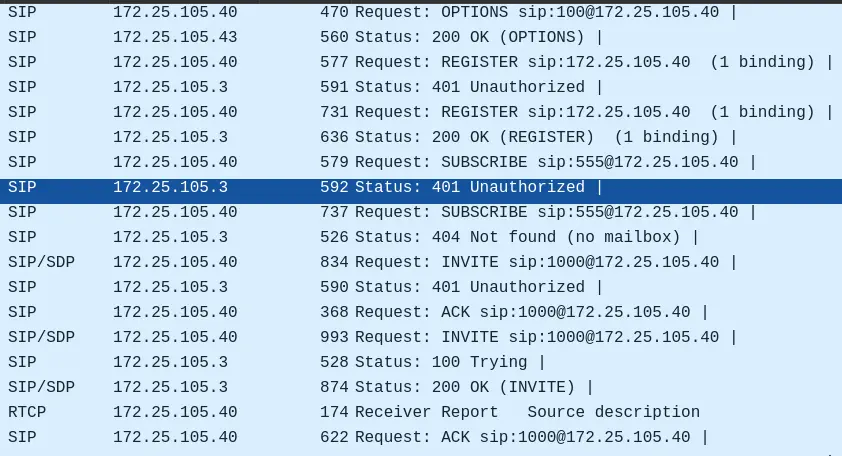
Answer: UDP.
Question 2
The attacker used a bunch of scanning tools that belong to the same suite. Provide the name of the suite.
- From the given log file:
PLAINTEXT
OPTIONS sip:100@honey.pot.IP.removed SIP/2.0
Via: SIP/2.0/UDP 127.0.0.1:5061;branch=z9hG4bK-2159139916;rport
Content-Length: 0
From: "sipvicious"<sip:100@1.1.1.1>; tag=X_removed
Accept: application/sdp
User-Agent: friendly-scanner
To: "sipvicious"<sip:100@1.1.1.1>
Contact: sip:100@127.0.0.1:5061
CSeq: 1 OPTIONS
Call-ID: 845752980453913316694142
Max-Forwards: 70- The attacker’s User Agent is
friendly-scanner, which is a part of the SIPVicious suite.
Question 3
- “What is the User-Agent of the victim system?”
- By filtering out the SIP protocols, we can check the victim’s system User-Agent.
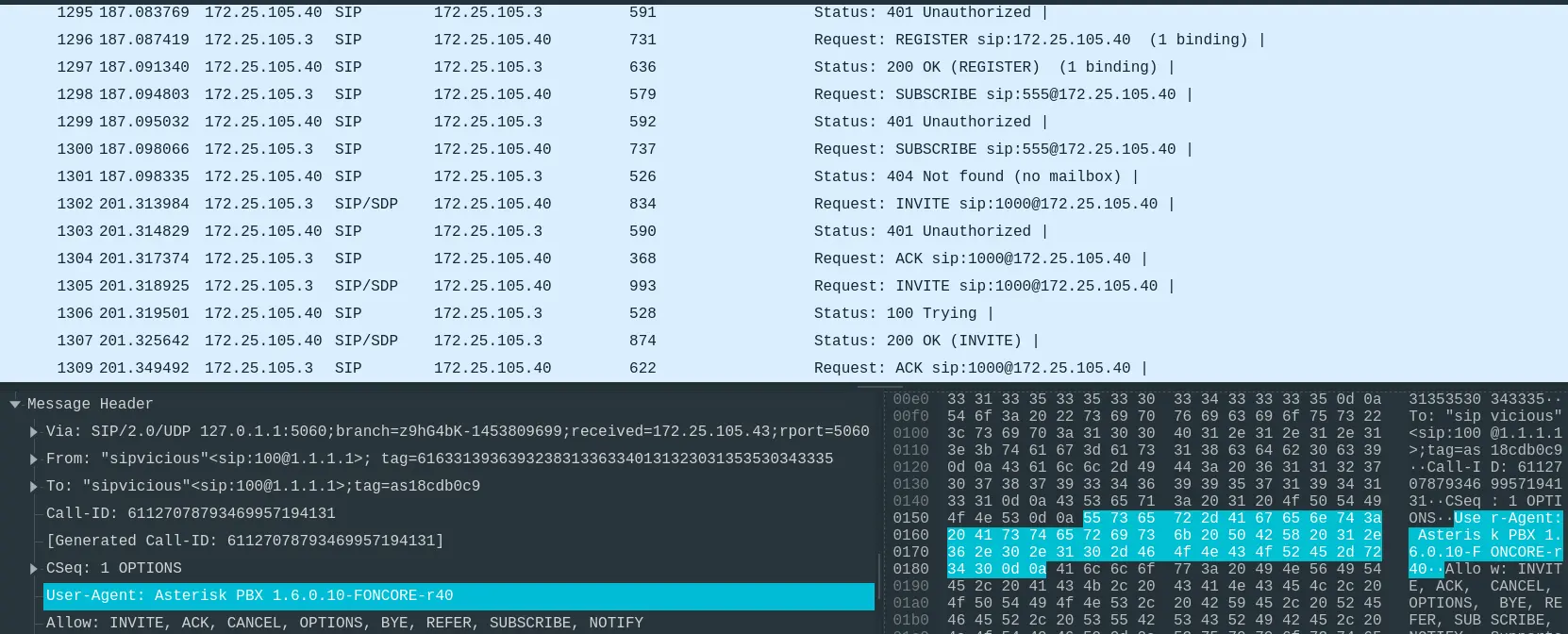
Answer: Asterisk PBX 1.6.0.10-FONCORE-r40
Question 4
- “Which tool was only used against the following extensions: 100,101,102,103, and 111?”
- There are 5 tools in the SIPVicious suite.
svcrack– Password guessing.svcrash– Stop unauthorized scans.svmap– Searches SIP devices.svreport– Report scans.svwar– Extension line scanner.
- Looking at the SIP requests again.
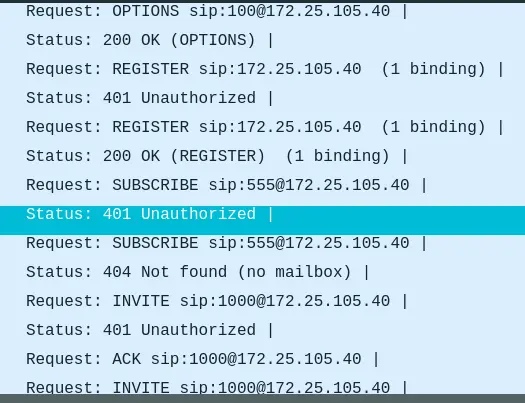
- There are a lot of
401 Unauthorizedresponse, which tells us thatsvcrackmay have been used to guess the password, albeit failed.
Answer: svcrack.py
Question 5
- “Which extension on the honeypot does NOT require authentication?”
- Looking at the SIP requests again, every extensions returned
401 Unauthorizedexcept extension100, which returns a200 OK
- Further inspection of the request tells us that there is no
Authorizationheader.

Answer: 100
Question 6
- “How many extensions were scanned in total?”
- Analyzing the log file, there are many requests from the attacker. To enumerate the extensions:
SHELL
$ grep 'REGISTER sip:.*@' log.txt | uniq | wc -l
2652Answer: 2652
Question 7
- “There is a trace for a real SIP client. What is the corresponding user-agent? (two words, once space in between)”
- We can analyze the log file again and filter out the User-Agent.
SHELL
$ grep 'User-Agent' log.txt | uniq
User-Agent: friendly-scanner
User-Agent: Zoiper rev.6751Answer: Zoiper rev.6751
Question 8
- Multiple real-world phone numbers were dialed. What was the most recent 11-digit number dialed from extension 101?
- By filtering out request from
sip:101, we can see the most recently dialed number.
LOG.TXT
Source: 89.42.194.X:47357
Datetime: 2010-05-05 10:00:46.147670

Message:

INVITE sip:00112524021XXXX@honey.pot.IP.removed;transport=UDP SIP/2.0
Via: SIP/2.0/UDP 89.42.194.X:47357;branch=z9hG4bK-d8754z-b728f8f9cf8a32d1-1---d8754z-
Max-Forwards: 70
Contact: <sip:101@89.42.194.X:47357;transport=UDP>
To: <sip:00112524021XXXX@honey.pot.IP.removed;transport=UDP>
From: "Unknown"<sip:101@honey.pot.IP.removed;transport=UDP>;tag=X_removed
Call-ID: Nzk2NzBkZDAxNzVjOWI4YzI0OWY1NDc5MGI0ODk2NjI.
CSeq: 1 INVITE
Allow: INVITE, ACK, CANCEL, BYE, NOTIFY, REFER, MESSAGE, OPTIONS, INFO, SUBSCRIBE
Content-Type: application/sdp
User-Agent: Zoiper rev.6751
Content-Length: 330- Here,
sip:100made a dial tosip:00112524021XXXX
Answer: 00112524021.
Question 9
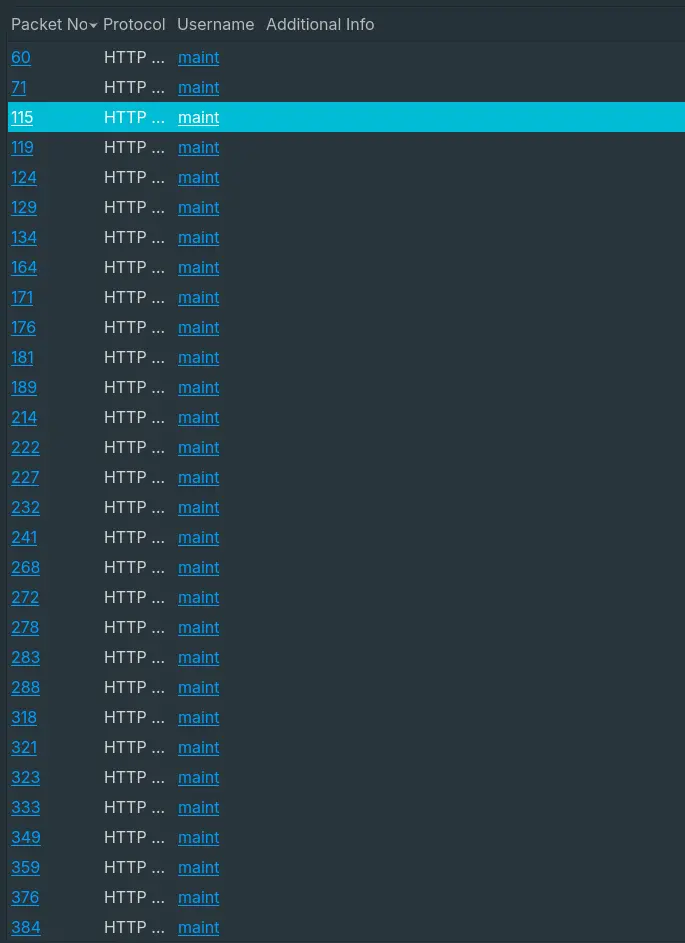
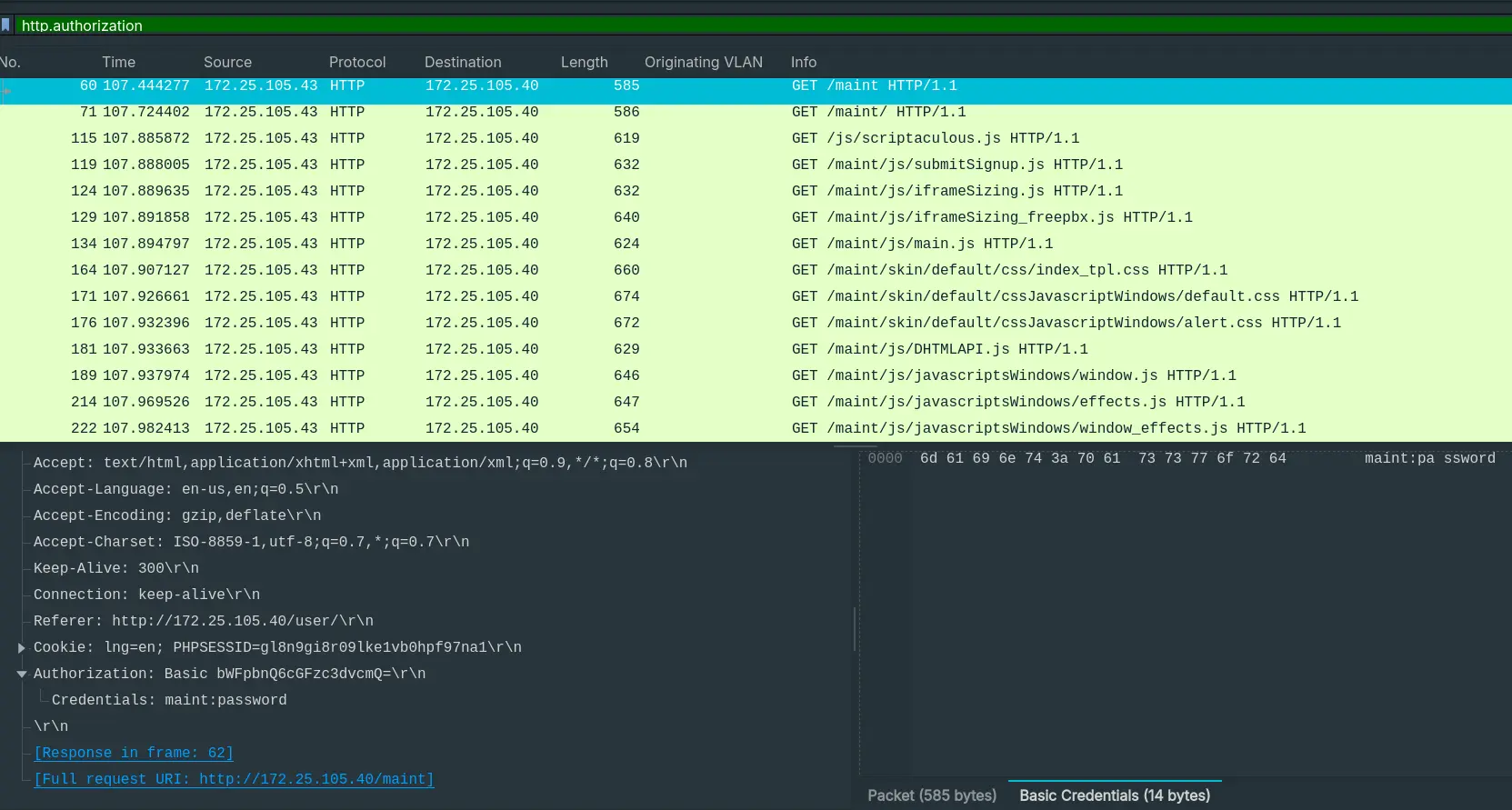
- “What are the default credentials used in the attempted basic authentication? (format is username:password)”
- By using Wireshark’s
Credentialsfeature, we can find many authorization formaint.
Answer: maint:password
Question 10
- “Which codec does the RTP stream use? (3 words, 2 spaces in between)”
- The RTP stream uses
ITU-T G.711 PCMU.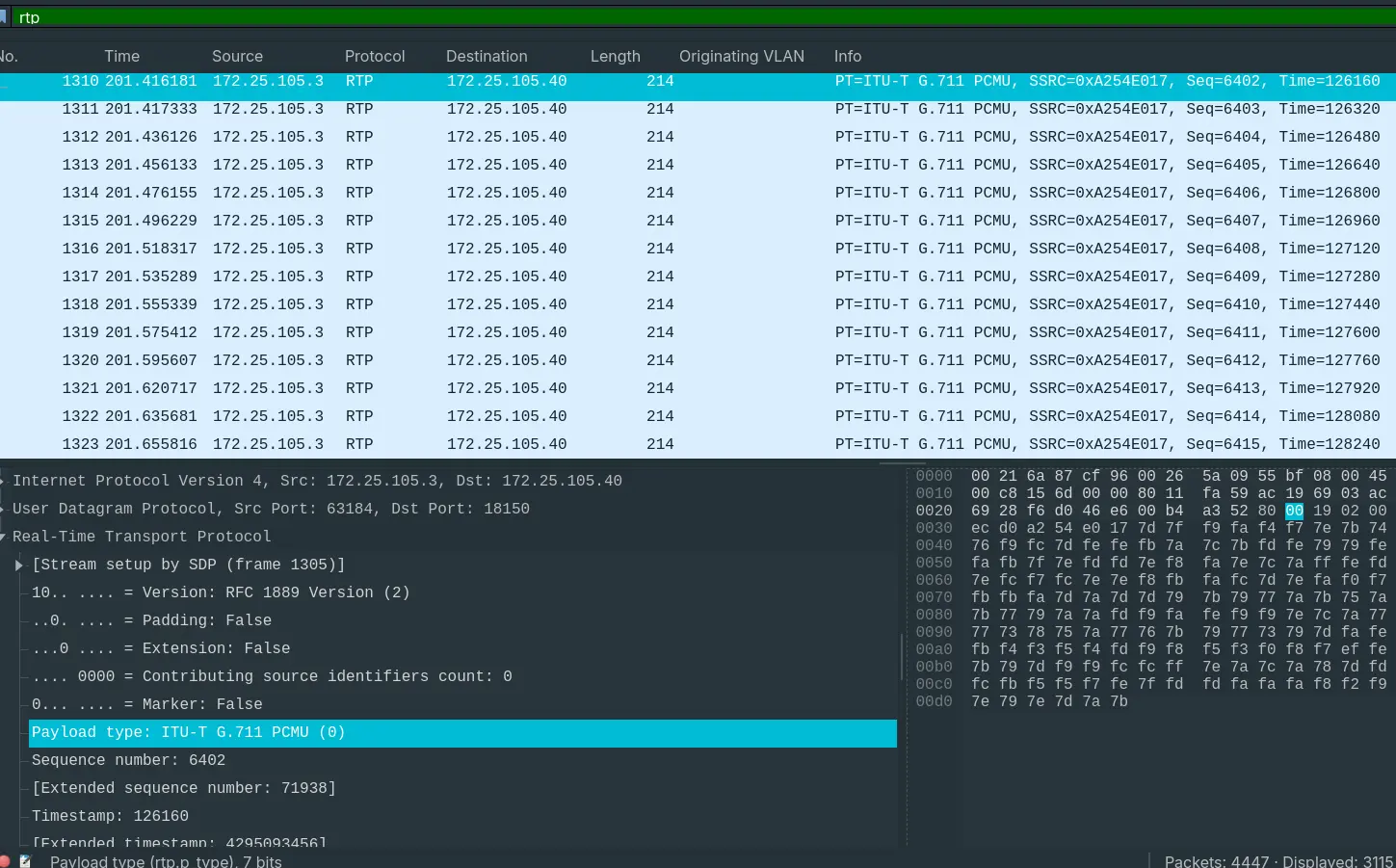
Answer: ITU-T G.711 PCMU.
Question 11
- “How long is the sampling time (in milliseconds)?”
- To get the sampling time: $$ sampling\ time = \frac{1}{sampling\ rate\ of\ G.711} $$
- “G.711 passes audio signals in the frequency band of 300–3400 Hz and samples them at the rate of 8000 Hz, with the tolerance on that rate of 50 parts per million (ppm).” – Wikipedia
$$ sampling\ time = \frac{1}{8000} = 0.125ms $$
Answer: 0.125
Question 12
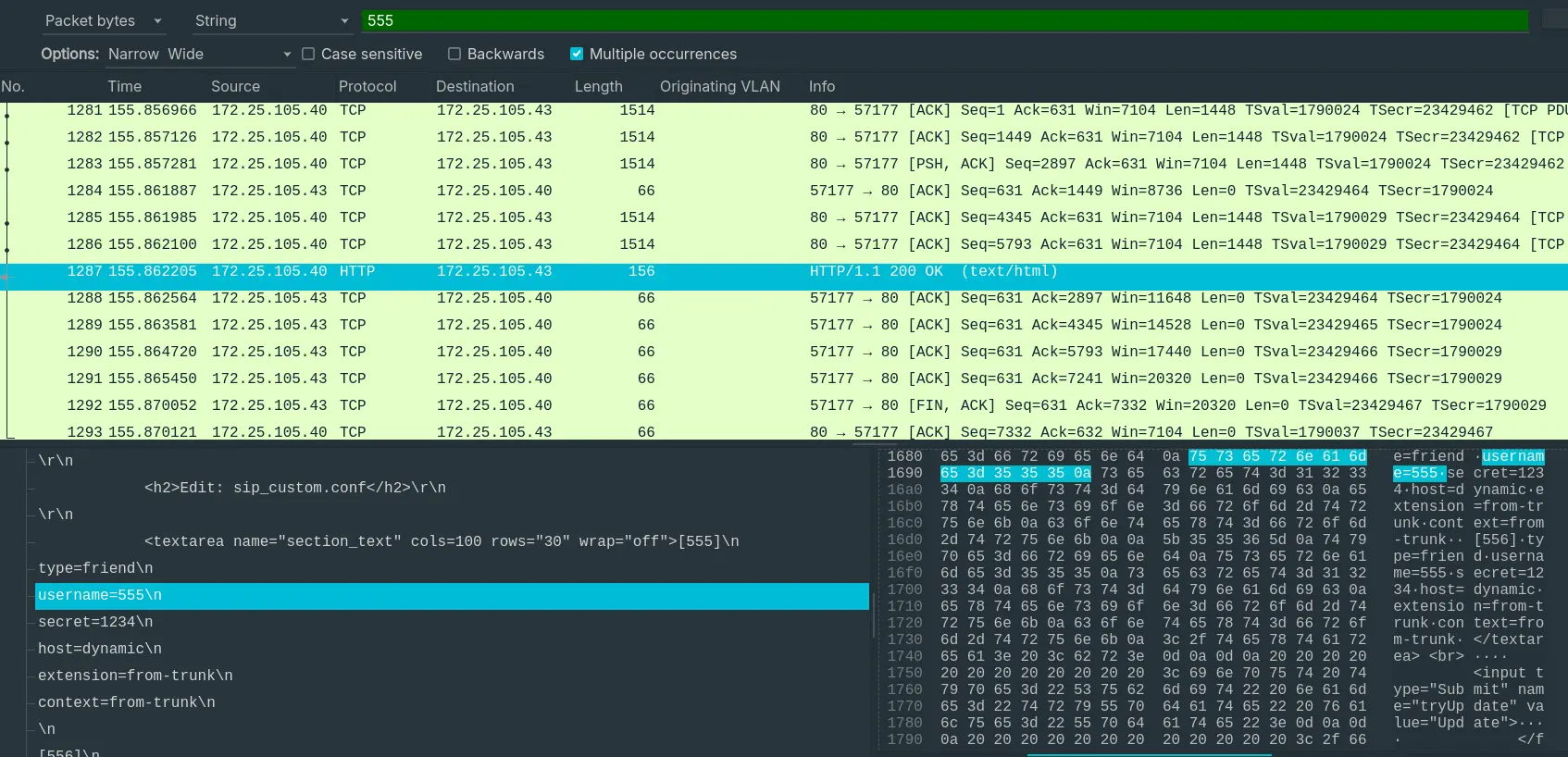
- “What was the password for the account with username 555?”
- By finding packets with the string
555, we can find the credentials.
Question 13
- “Which RTP packet header field can be used to reorder out of sync RTP packets in the correct sequence?”
- “An RTP sender captures the multimedia data, then encodes, frames and transmits it as RTP packets with appropriate timestamps and increasing timestamps and sequence numbers. The sender sets the payload type field in accordance with connection negotiation and the RTP profile in use. The RTP receiver detects missing packets and may reorder packets. It decodes the media data in the packets according to the payload type and presents the stream to its user.” – Wikipedia
Answer: timestamp
Question 14
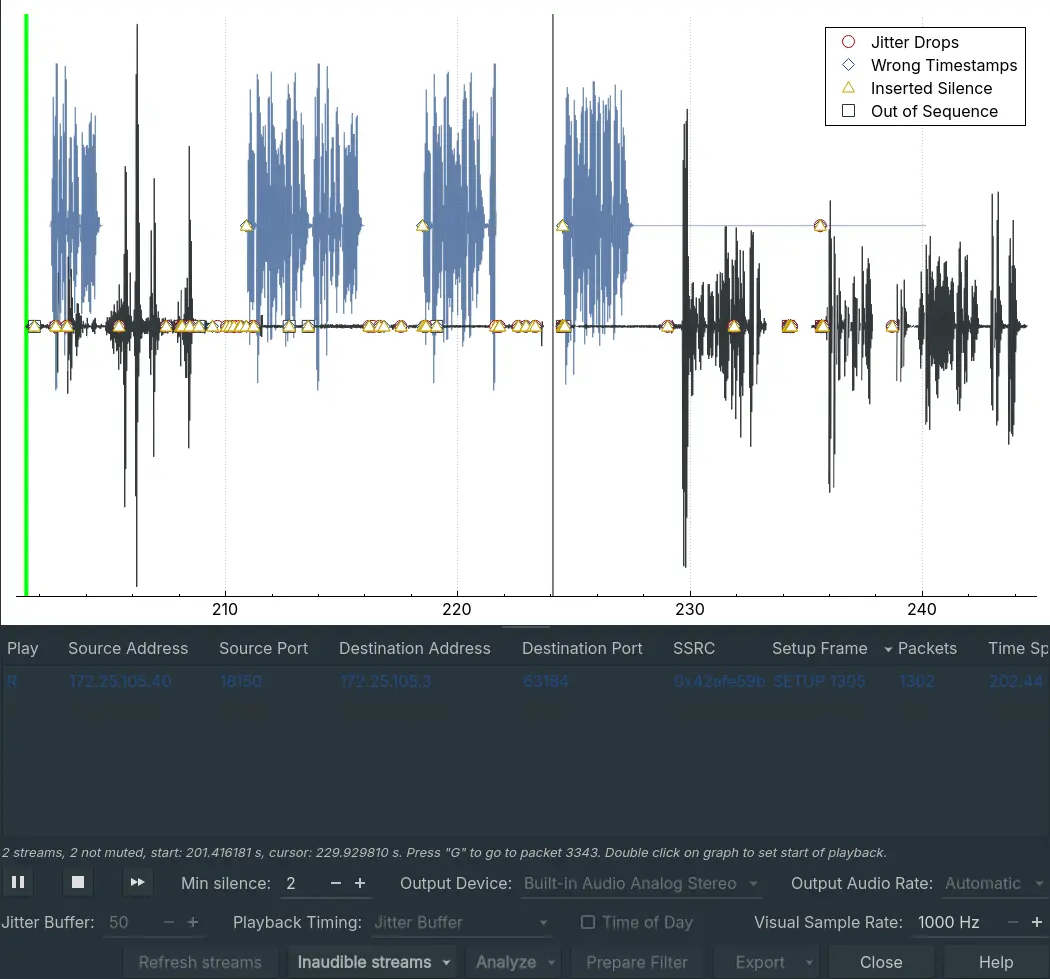
- “The trace includes a secret hidden message. Can you hear it?”
- The secret hidden message is hidden inside the VoIP call. Which you can play with
Telephony > VoIP Call
Note
Set your Playback timing options to RTP Timestamps so you can actually hear the message clearly.
Answer: Mexico