
An alert from the Intrusion Detection System (IDS) flagged suspicious lateral movement activity involving PsExec. This indicates potential unauthorized access and movement across the network. As a SOC Analyst, your task is to investigate the provided PCAP file to trace the attacker’s activities. Identify their entry point, the machines targeted, the extent of the breach, and any critical indicators that reveal their tactics and objectives within the compromised environment.
Question 1
To effectively trace the attacker’s activities within our network, can you identify the IP address of the machine from which the attacker initially gained access?
- Looking at the I/O Graph:

- The large spike at timeframe ~500ms right after the small spike at ~300ms along with the Conversation analysis shows plenty of traffic from
10.0.0.130hints at a successful compromisation.

Note
Both of these analysis can be found under Wireshark’s Analysis -> I/O Graph and Analysis -> Conversations respectively.
Answer: 10.0.0.130
Question 2
To fully understand the extent of the breach, can you determine the machine’s hostname to which the attacker first pivoted?
- By checking at the timeframe of the tiny spike (~300ms), we can see some SMB authentications requests. Inspecting the package tells us the hostname the attacker first tried to gain access into.
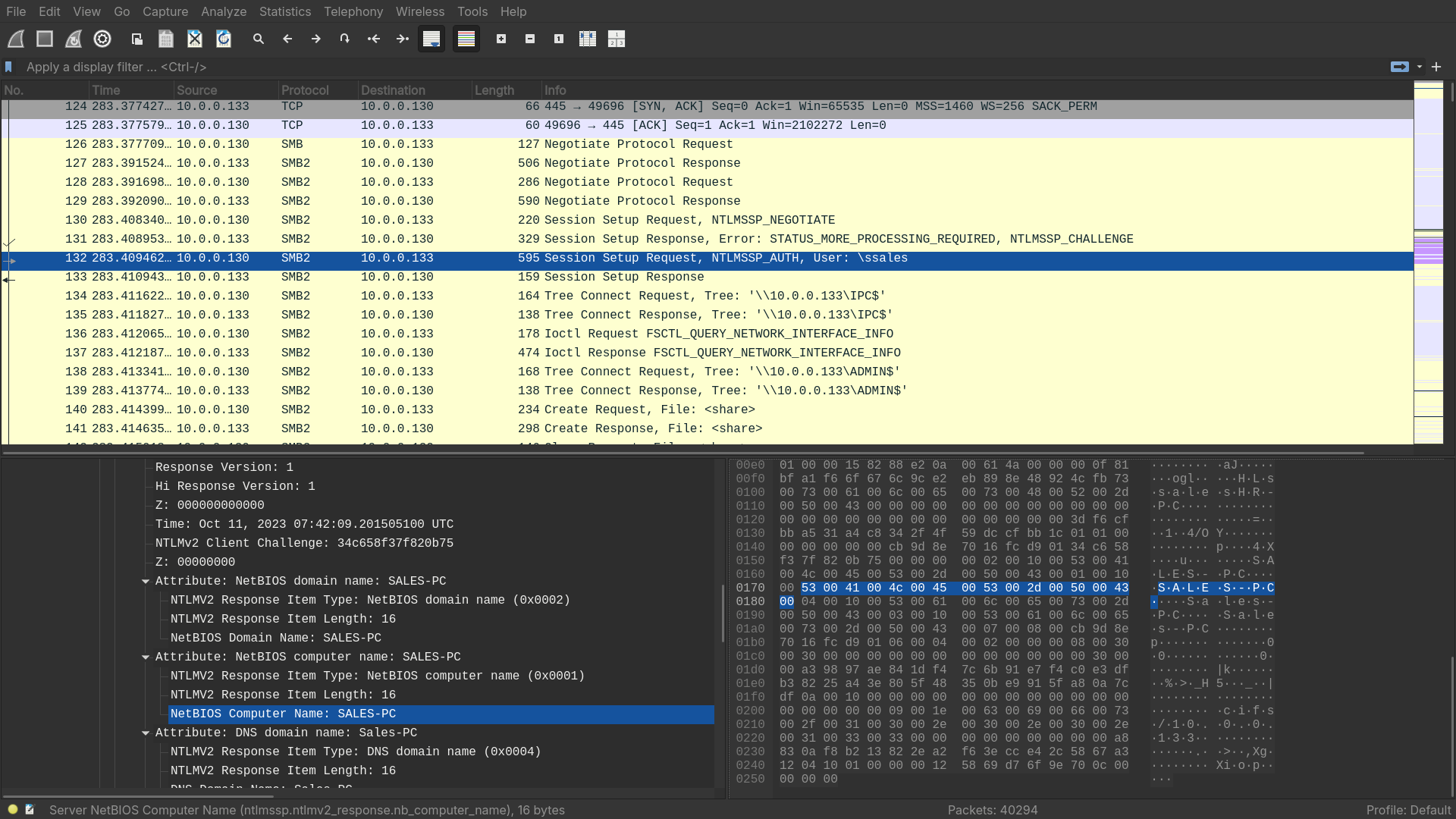
Answer: SALES_PC
Question 3
Knowing the username of the account the attacker used for authentication will give us insights into the extent of the breach. What is the username utilized by the attacker for authentication?
- Looking at the authentication requests again, the attacker utilized
ssalesfor authentications.
Answer: ssales
Question 4
After figuring out how the attacker moved within our network, we need to know what they did on the target machine. What’s the name of the service executable the attacker set up on the target?
- Right after the attacker compromised the machine, they tried to make an SMB Create Request for an executable named
PSEXESVC
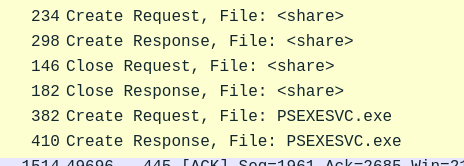
Answer: PSEXESVC
Question 5
We need to know how the attacker installed the service on the compromised machine to understand the attacker’s lateral movement tactics. This can help identify other affected systems. Which network share was used by PsExec to install the service on the target machine?
- Right before the attacker set up
PSEXESVCon the target machine, they made a Tree Connection Request to\\10.0.0.133\ADMIN$.
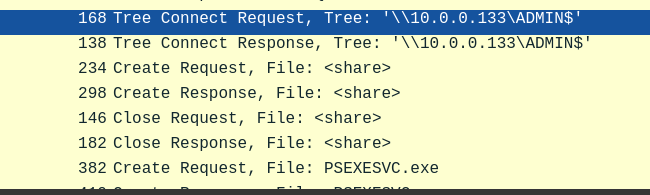
Answer: ADMIN$
Question 6
We must identify the network share used to communicate between the two machines. Which network share did PsExec use for communication?
- Even before the attacker made a Tree Connection Reuest to
\\10.0.0.133\ADMIN$, they made a tree connection request to\\10.0.0.133\IPC
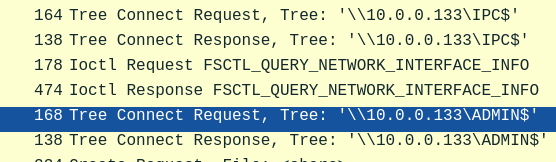
- According to https://learn.microsoft.com/en-us/troubleshoot/windows-server/networking/inter-process-communication-share-null-session :
The IPC$ share is also known as a null session connection. By using this session, Windows lets anonymous users perform certain activities, such as enumerating the names of domain accounts and network shares.
- By using
IPC$, the attacker got the number of devices. Giving them the span of compromisation.
Answer: IPC$
Question 7
Now that we have a clearer picture of the attacker’s activities on the compromised machine, it’s important to identify any further lateral movement. What is the hostname of the second machine the attacker targeted to pivot within our network?
- Right after compromising
SALES-PCwith userssales, the attacker made some more request to bruteforce the authetications of another machine.

- Inspecting the packets, we can see they are trying to compromise
MARKETING-PC
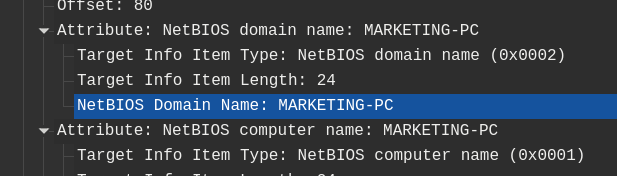
Answer: MARKETING-PC